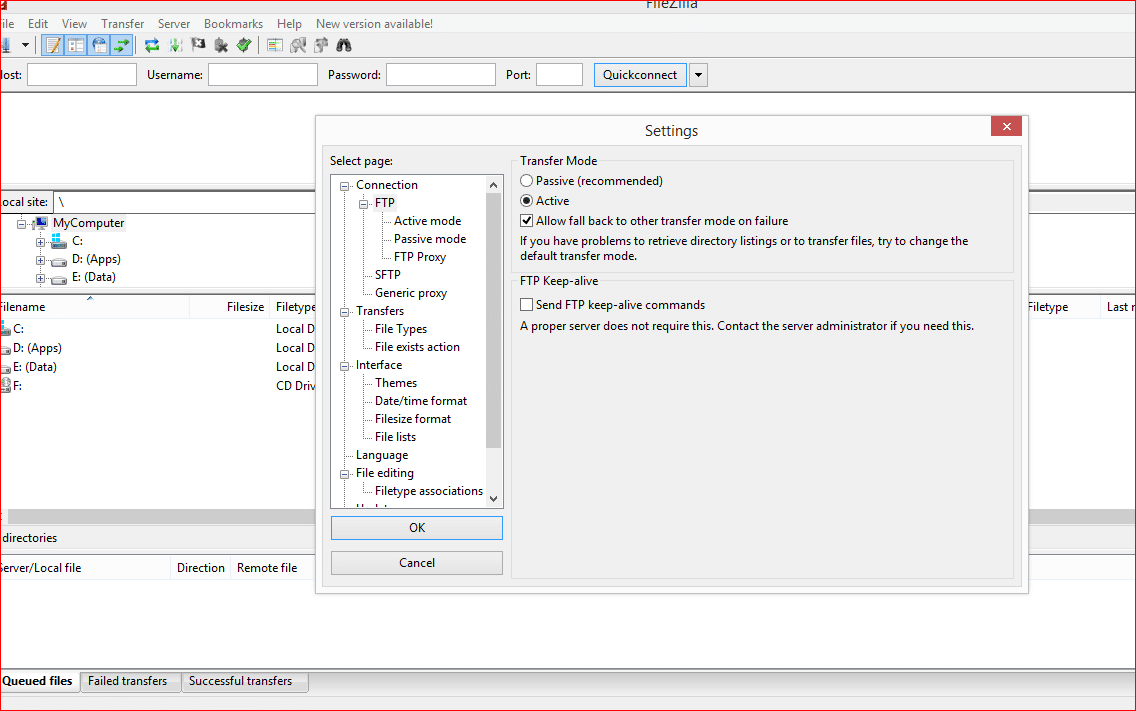
Our servers are configured to support both active and passive FTP connections however depending on your connection/firewall/network settings it is quite common that only one method work and the other may hang while requesting directory listings.
If the default passive mode results in connection issues, please change to active mode. To change to active mode follow the steps below:
Open Filezilla
Click to: Edit -> Settings
Choose the FTP section and set Transfer mode to Active by default.